Comparing records in two tables
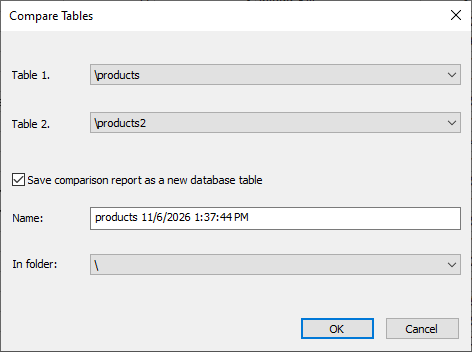
To compare records in two tables and find differences regardless of their order, use the Tools > Compare Tables command. The dialog box allows you to specify the tables to compare and choose whether to save the differences as an editable report or simply display the number of varying records:
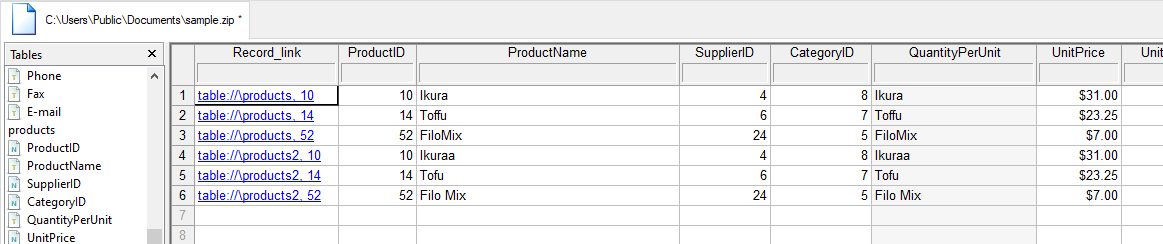
- If you choose to create a timestamped list of differences, it will be saved as a new able where the first column contains hyperlinks to the records in both compared tables, while the remaining fields show the original record contents.
- Clicking a link takes you directly to the source table, allowing you to make any necessary corrections or updates.
- To quickly identify which field values differ in the listed records—or which records exist in only one of the tables—click Sort on one or more columns/fields.